Apple has introduced a built-in feature designed to make switching from an iPhone to an Android device more straightforward. Available starting with iOS 26.3, the new option reduces reliance on third-party migration apps and aims to provide a smoother transition between mobile platforms.
Instead of using external tools, users can now begin the transfer directly from the iPhone’s system settings. The feature is located under Settings, then General, Transfer, Reset iPhone, and finally Transfer to Android. After authentication, the process continues by placing the Android phone next to the iPhone and scanning a QR code displayed on the Apple device. The setup is intended to mirror the familiar experience of transferring data between two iPhones.
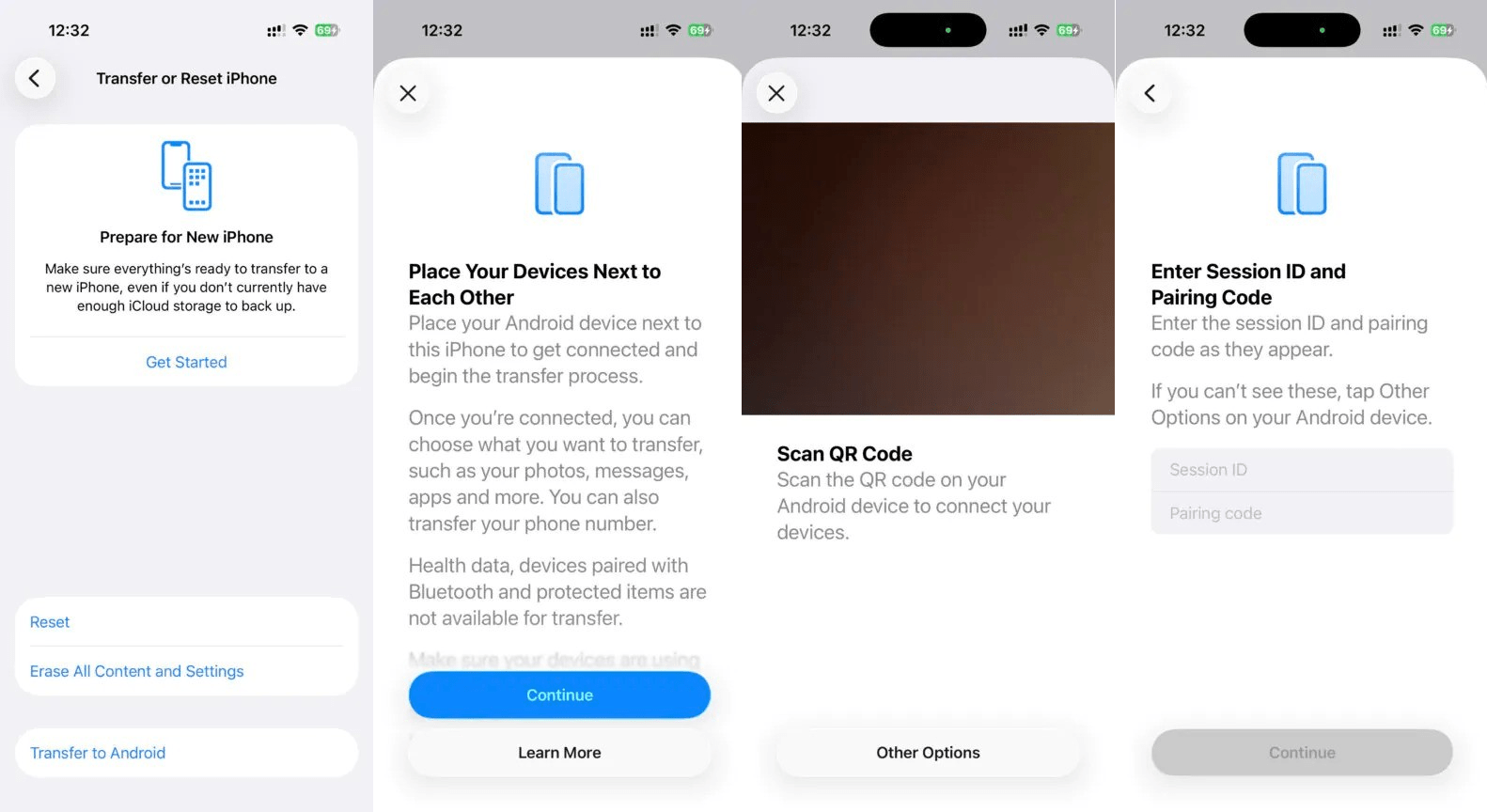
Once verified through Face ID, several types of personal information can be moved automatically. Supported content includes photos, text messages, compatible apps, saved notes, stored passwords, Live Photos, and even the eSIM containing the user’s phone number. The goal is to help users retain key data and maintain continuity while changing ecosystems.
However, the feature does not yet cover everything; health information and settings tied to previously connected Bluetooth devices remain unsupported, meaning those items must still be configured manually on the new Android phone.
The migration tool arrived alongside the final releases of Apple’s 26.3 software updates, including iOS, iPadOS, macOS, tvOS, watchOS, and visionOS. Its launch follows a similar initiative from Android Canary, which recently introduced a feature focused on transferring data in the opposite direction—from Android devices to iPhones—indicating a broader industry push toward easier cross-platform mobility.