Google has officially released the stable version of Android 17 to compatible Pixel devices. The source code is now available on the Android Open Source Project (AOSP), allowing partner manufacturers and developers to modify and roll out the software to their respective devices over the coming months. This release occurs less than a week following final performance and camera corrections in Beta 4.

According to Google’s Android division, the update introduces features designed to enhance productivity, entertainment, and privacy. Key developments include system-wide task bubbles, an integrated gaming mode, and advanced security frameworks.
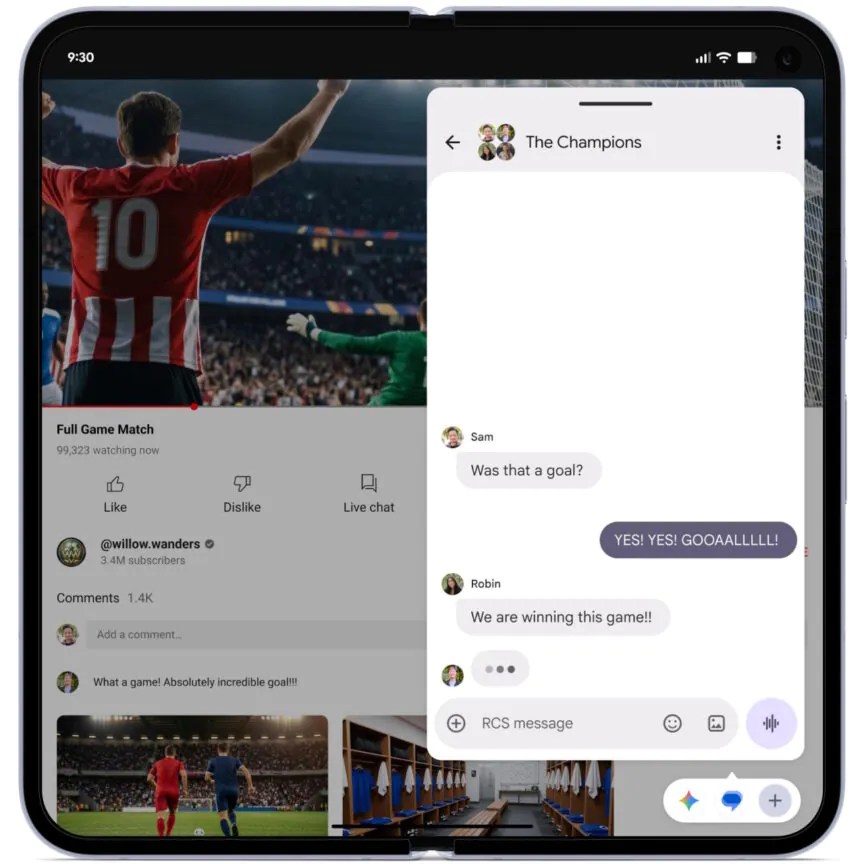
Expanded Multifunctional Bubbles Floating screen bubbles, previously restricted to messaging apps, can now open any application in a compact overlay window. On tablets and foldable devices, these bubbles populate a dedicated dock at the bottom of the display to facilitate rapid multitasking.
Gaming Mode and Screen Recording For foldable devices, a native Gaming Mode splits the interface, rendering the game on the upper half and transforming the lower section into a dynamic virtual controller. The update also integrates native support for mapping external controllers. Furthermore, a built-in screen reaction tool enables users to overlay front-camera video during screen recordings to capture real-time reactions.
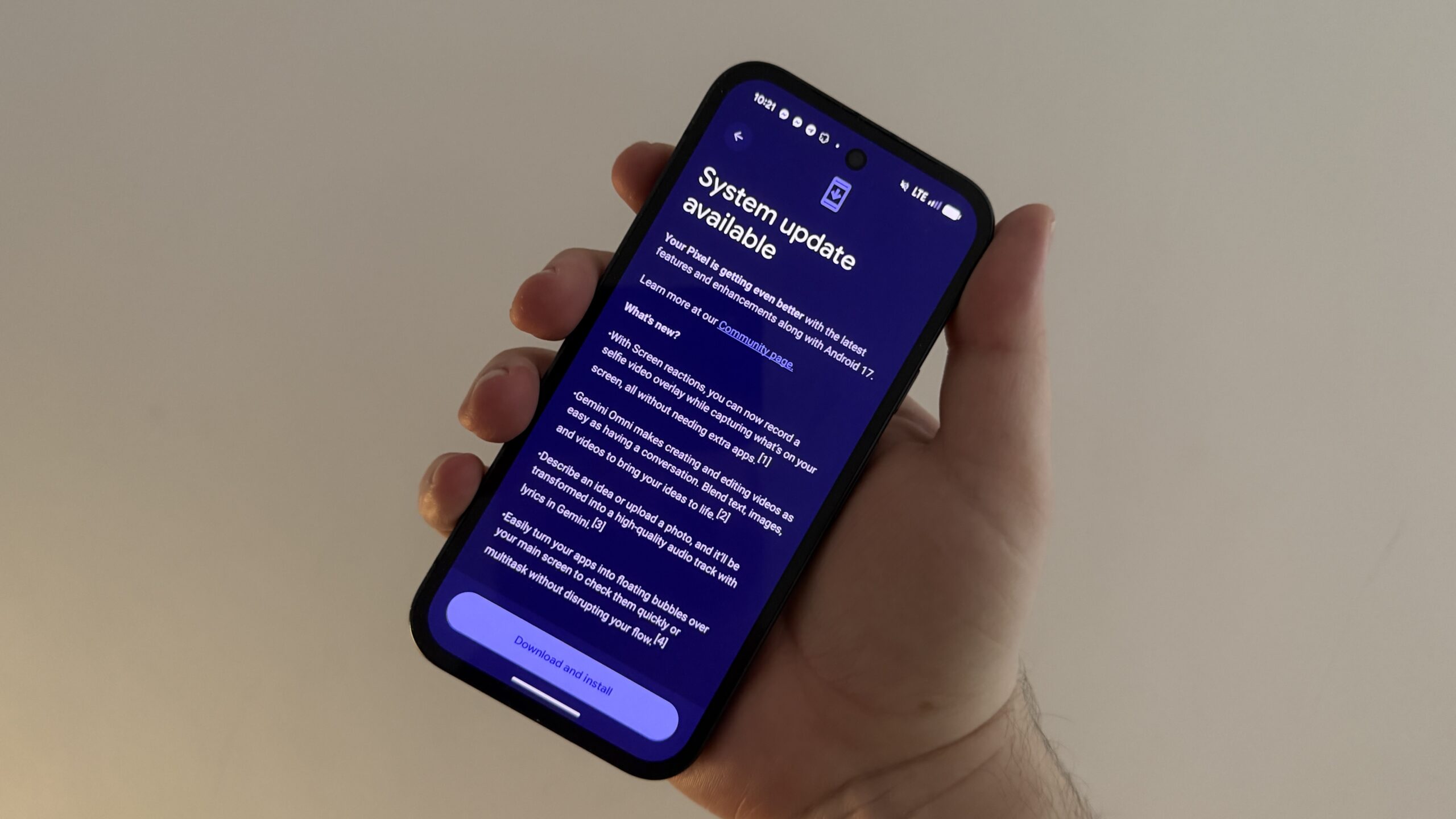
The Android 17 update is already available to compatible Pixel devices.
Enhanced Security and Privacy Android 17 implements multiple defense mechanisms to protect personal and device data:
- Theft Protection: Google has reduced permissible passcode attempts and extended lockout periods. Remote locking now requires biometric authentication, preventing unauthorized access even if the device passcode is compromised.
- Contact Selection: Users can grant access to specific contacts rather than exposing the entire address book.
- Temporary Permissions: Location sharing can be restricted to brief, temporary intervals.
- Threat Detection: Real-time analysis identifies suspicious software and fraudulent activities.
Interface and Optimization Adjustments The system also includes functional refinements:
- Extended Dark Theme: The software automatically inverts light app layouts, allowing manual exclusions.
- Parental Controls: App blocking and screen time management tools are expanded beyond Pixel devices.
- Memory Limits: Strict RAM allocation thresholds prevent instability, conserve battery, and maintain UI fluidity.
Filed in . Read more about Android 17, Google and Social Hit.