Google has officially launched a Trash folder for its Messages app on Android, providing a significant update to how conversation history is managed. Previously, the deletion of a chat thread was an irreversible action that immediately removed the data from the device. This new feature functions as a safety net, allowing users to recover messages they may have deleted accidentally.
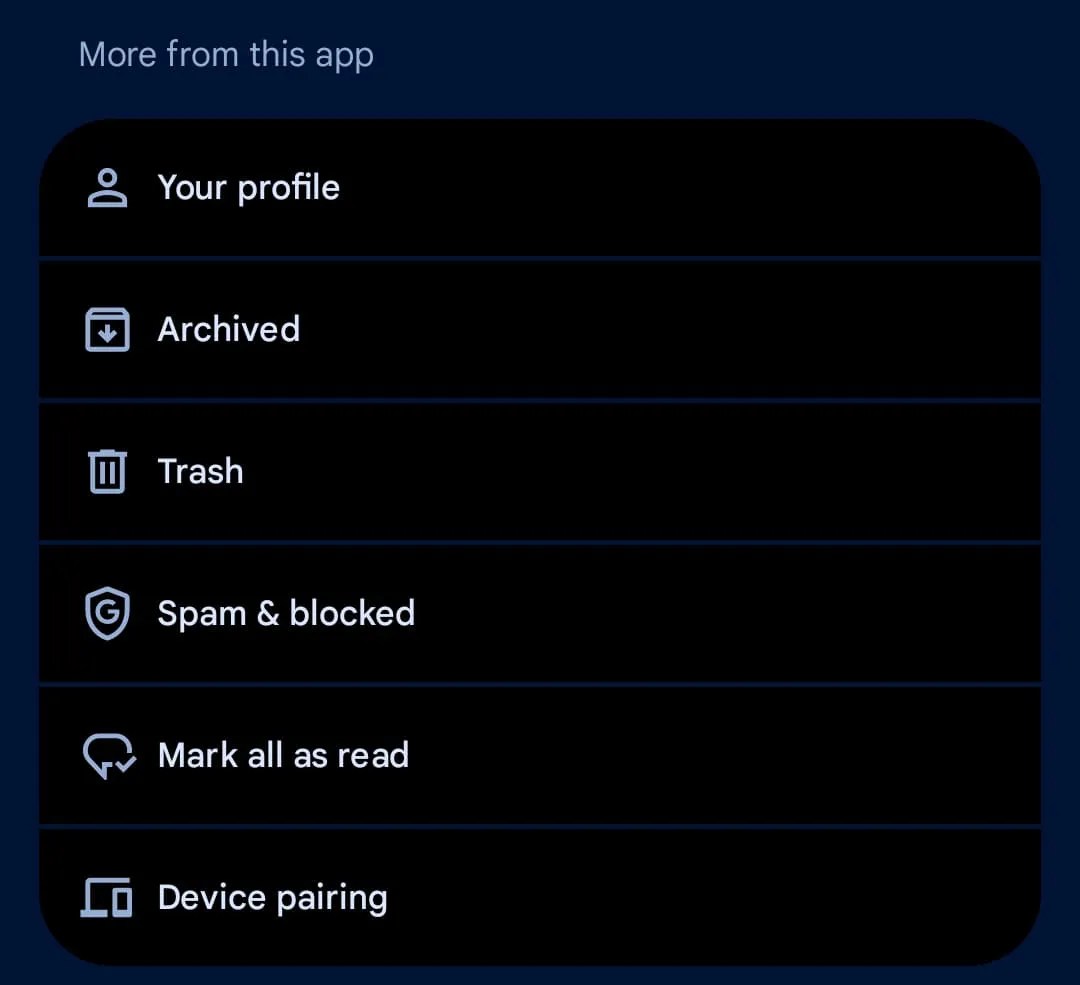
Image: 9to5Google
When a user selects the delete icon, the application now prompts them with a notification explaining that the conversation will be stored in the Trash for a 30-day grace period. After this timeframe, the messages are permanently erased.
There is a notable exception for Android Go devices; to optimize limited storage on these entry-level handsets, the retention period is shortened to 7 days.

Image: 9to5Google
The Trash folder is located within the account menu, accessible by tapping the user’s profile image in the top-right corner of the interface. It is positioned directly beneath the “Archived” section. Within this folder, users can:
-
View the specific number of messages contained within each thread.
-
Restore individual threads or all conversations back to the main chat list.
-
Manually select “Delete all” to bypass the 30-day timer and clear storage immediately.
Message Handling Logic
The system includes a specific protocol for incoming communication. If a contact sends a new message while the previous conversation is still in the Trash, the application does not automatically restore the old thread. Instead, a new thread containing only the recent message appears in the main list, while the older messages remain sequestered in the Trash folder until the user manually restores them or the timer expires.
Availability
The rollout is currently widespread across the stable version of the application. Users can verify access to this feature by ensuring their app is updated to version 20260327_00_RC00 or later. This update aligns Google Messages with standard data management practices found in other productivity tools, such as Gmail and Google Photos.
Filed in . Read more about Android, Android Go, Google and Instant Messaging.