The rapid advancement of artificial intelligence in software development has enabled the creation of complex applications that challenge established commercial platforms. Developed by Brandon Thomas as part of the ArtCraft project, PhotoCraft is being offered an free image editor designed to serve as a free alternative to Adobe Photoshop. Built using the Rust programming language and largely assisted by AI-driven coding tools, the software has quickly gained popularity within the developer and designer communities on GitHub.

PhotoCraft is structured as a cross-platform application that runs natively on Windows, macos, and Linux. Billed as a clean-room reimplementation, the software replicates user experiences without copying proprietary source code. Despite being in an early alpha phase, the application offers robust functionality, including:
- Advanced layer management, supporting masks, layer styles, and smart objects.
- Comprehensive toolsets, featuring an advanced brush engine, multiple editing tools, and various blend modes.
- File compatibility, allowing users to open and save native PSD files.
- Familiar workflows, incorporating menus and keyboard shortcuts similar to Photoshop alongside GPU acceleration via Vulkan, Metal, and DirectX 12.
While PhotoCraft offers fast initialization and responsiveness, memory consumption can scale significantly when handling complex PSD files. Industry experts note that while the interface closely mirrors commercial standards, advanced proprietary algorithms—such as content-aware fill and automated object detection—take years to refine. Consequently, while the platform suits casual users and quick edits, professional workflows requiring precise algorithmic adjustments may still rely on traditional software.
Vector Graphics with VectorCraft
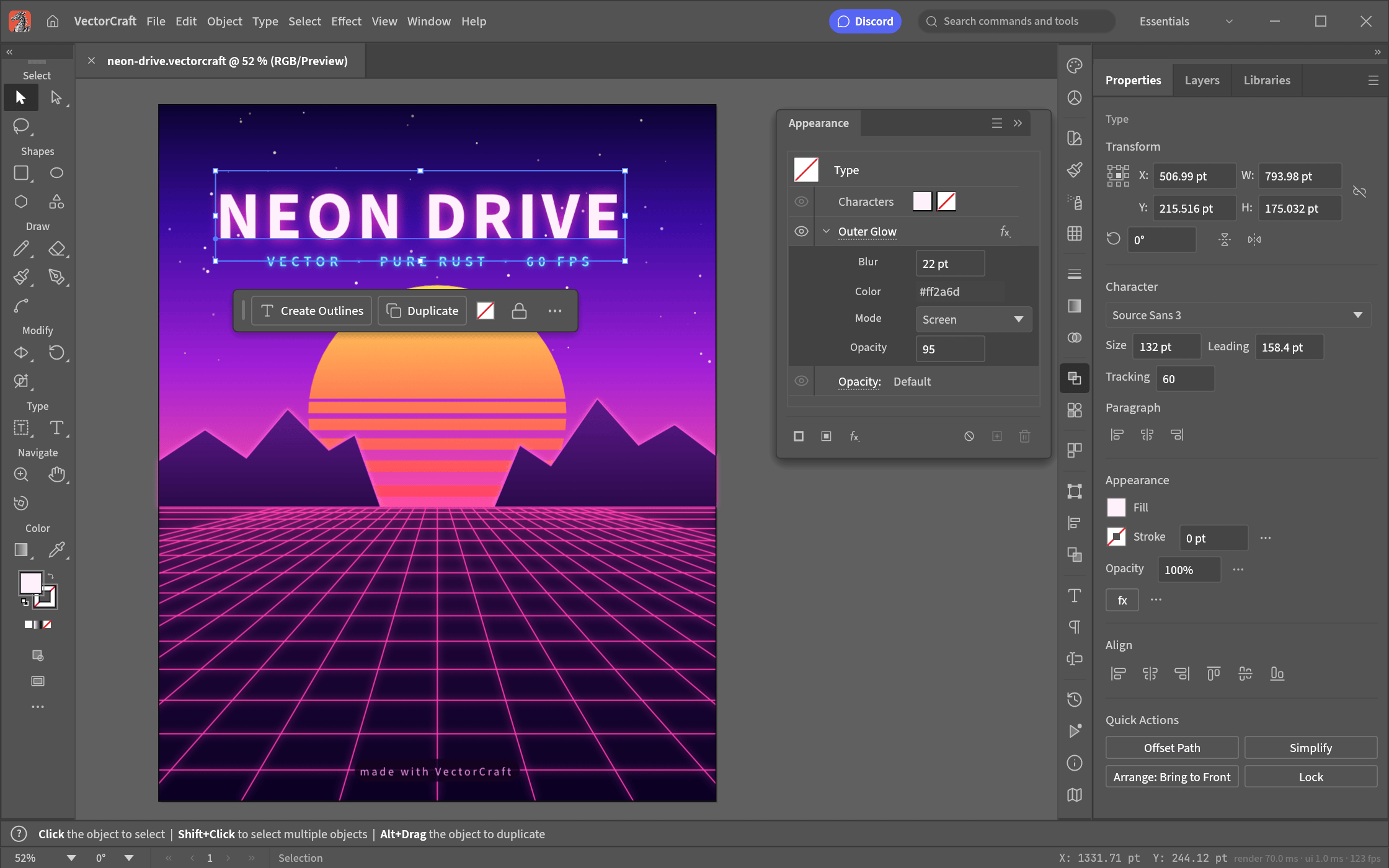
For graphic designers and illustrators seeking an alternative to Adobe Illustrator, VectorCraft attempts to mirror vector-based workflows. It handles scalable graphics, paths, and anchor points, allowing users to create logos, typography, and complex illustrations. Because it shares the same AI-assisted development roots, early testers note that while it captures the core interface layout and basic vector manipulation tools of its proprietary counterpart, it remains prone to the same early-stage bugs and experimental quirks found across the ArtCraft ecosystem.
Video Editing with FilmCraft

Tackling the demanding requirements of post-production, FilmCraft serves as the suite’s answer to Adobe Premiere. Designed for timeline-based video editing, cutting, and sequencing, it aims to provide creators with a zero-cost option for putting together video projects. However, video editing software typically relies on heavy frame rendering, hardware acceleration, and stable codecs—areas where an early-alpha, AI-reverse-engineered application faces significant hurdles regarding rendering stability and timeline smoothness.
Photo Organization with LightCraft

Rounding out the core quartet is LightCraft, positioned as an open-source alternative to Adobe Lightroom. This application focuses on batch photo management, RAW file processing, and non-destructive color grading workflows. While photographers often rely on Lightroom’s precise color science and cataloging architecture, LightCraft offers an experimental playground for users looking to manage and adjust digital photographs without committing to recurring subscription fees.
Together, these applications highlight the disruptive potential—and current limitations—of using modern language models to rapidly prototype complex desktop software.
Licensing and Distribution
Distributed as free and open-source software (FOSS), all the installers are available via its GitHub repository. Although optional subscription plans exist on the project website to fund future generative AI features, the core editors remain accessible without payment, marking a significant shift in open-source application development.
Filed in . Read more about Adobe, AI (Artificial Intelligence) and Photoshop.